
Last Updated on September 14, 2026 by Caesar Fikson
Bottom Line
- Audit inactive iGaming players to separate genuine inactivity from missing, delayed, or suppressed data.
- “Zombie” records create database bloat, duplicate communications, and misleading CRM reports.
- Use a repeatable audit with activity, consent, identity, value, and risk fields.
- Re-engage only eligible players; archive or suppress records that should not receive marketing.
Audit inactive iGaming players is a data-quality and lifecycle exercise, not a licence to message everyone who has gone quiet. An operator should first establish whether the player is genuinely inactive, whether the record is still valid, and whether any communication is permitted. Only then should the team choose re-engagement, service follow-up, suppression, or archival.
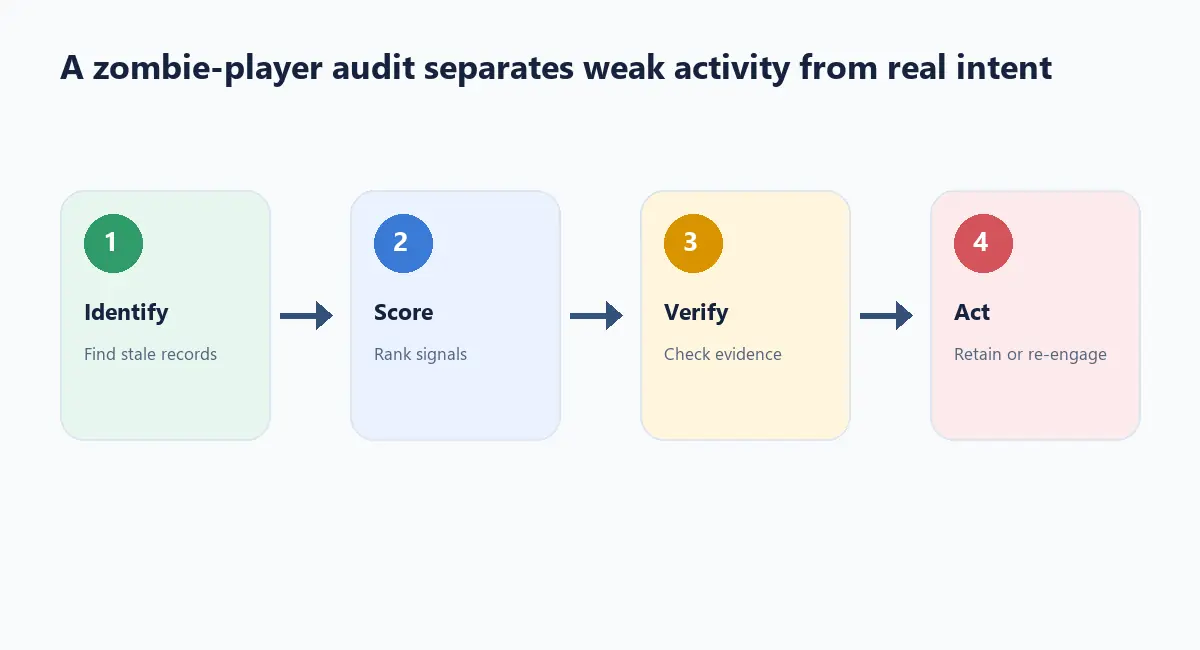
Why audit inactive iGaming players instead of launching one more campaign?
Key Definition: An inactive iGaming player is a profile with no defined qualifying activity during a stated observation window, after data freshness, consent, identity, and exclusion rules have been checked.
Many databases contain records that look inactive because an integration stopped, an account was duplicated, a player moved product, or a consent change was not synchronised. Calling every record “churned” hides the real problem. An audit creates a defensible distinction between behaviour and data failure.
Define inactivity before counting it
| State | Meaning | Next action |
|---|---|---|
| Recently active | Qualifying activity within the current window | Normal lifecycle treatment |
| Inactive | No qualifying activity, but profile is valid | Segment and assess a permitted service or reactivation path |
| Unknown | Events are missing, delayed, or contradictory | Repair data before targeting |
| Suppressed | Opt-out, safer-gambling, legal, or internal exclusion applies | No promotional outreach |
| Archive candidate | Redundant, invalid, or outside retention purpose | Follow retention and deletion policy |
Choose the qualifying event explicitly. It may be a login, deposit, bet, game session, support interaction, or a permitted product action. Different use cases require different windows.
Find database bloat and zombie records
Start with profile counts by status, last event source, consent state, and identity confidence. Look for records with multiple account IDs, impossible timestamps, stale suppression flags, missing country or jurisdiction, and no linked event source. A record that has never received a valid event should not be treated as a failed re-engagement audience.
A useful audit ratio is:
unknown-record ratio = profiles with unresolved freshness or identity issues ÷ profiles classified as inactive
The ratio is an internal diagnostic, not an industry benchmark. If it rises, fix instrumentation before increasing campaign volume.
A practical audit workflow
- Freeze the definition of qualifying activity and the observation window.
- Refresh event feeds and record their latest successful ingestion.
- Remove duplicates from the audience calculation without deleting source data.
- Apply consent, suppression, safer-gambling, jurisdiction, and retention rules.
- Split genuine inactivity from unknown or invalid records.
- Choose a small, relevant next action for each allowed segment.
- Record the result and the reason for any profile-state change.
Operator pro-tip: make “unknown” a visible state in the dashboard. Teams often hide it by forcing every record into active or inactive, which makes a broken feed look like player churn.
Re-engagement that respects the record state
An eligible inactive player might receive a service-oriented reminder, preference centre prompt, or educational message. A suppressed player should receive nothing promotional. An unknown record should go to data repair. An archive candidate should follow the operator’s retention process. The CRM should make these branches distinct so a marketer cannot accidentally collapse them into one send.
Illustrative example
Imagine an audience of 10,000 profiles labelled inactive. After refreshing the data, 1,200 are found to have recent support activity, 600 have unresolved identity conflicts, 900 are suppressed, and 300 are duplicates. The remaining records are not automatically good marketing targets; they still need eligibility and message-purpose checks. The numbers are illustrative only.
Failure scenarios
A delayed event feed can trigger a reactivation message to an active player. A shared email address can cause a suppression failure. A deleted digital account may remain in a venue export. A player who changed communication preferences may still be present in an old segment. Keep audit evidence, process corrections, and make the send-time check authoritative.
Conclusion
To audit inactive iGaming players well, treat inactivity as a hypothesis that must survive data-quality and policy checks. The result should be a cleaner database, clearer lifecycle decisions, and fewer inappropriate messages—not simply a larger campaign audience. Explore governed player lifecycle workflows at NowG.net.